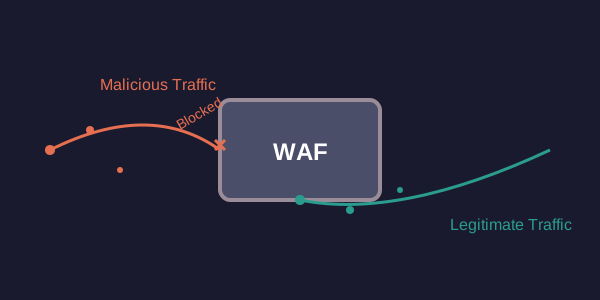
My WAF Ignored a DDoS Attack — Here's Why
My WAF Ignored a DDoS Attack — Here’s Why
We had an attack. Not a tiny nuisance, but a proper denial-of-service. The kind that makes your servers sweat and your support team prepare for angry calls. Our Web Application Firewall (WAF) is supposed to be the first line of defense against this stuff. It wasn’t. It saw the flood of bad traffic and… did nothing.
It felt like bringing a water pistol to a gunfight.
The traffic was hammering us from everywhere. Bots, mostly. Layer 7 stuff, not just raw packets. They were hitting our login endpoint and some of our public API routes. The sheer volume was enough to start impacting response times. This is exactly what the WAF is for, right? Blocking malicious traffic, letting legitimate users through.
But it wasn’t blocking anything. At least, not the stuff that mattered.
I dove into the WAF logs. Gigabytes of them. And there it was. A rule, meant to block requests that looked like a bot, was disabled. Not just misconfigured, but completely turned off. How did that happen?
Turns out, a few weeks back, we were troubleshooting some legitimate WAF false positives. A few users couldn’t log in. The support team, under pressure, escalated it. Someone in operations, trying to be helpful, went into the WAF config. They found a rule that seemed to be catching the login attempts. Their fix? They disabled the rule.
They didn’t document it. They didn’t create a temporary bypass. They just flipped the switch off. And then, apparently, forgot to flip it back on.
When the actual attack came, that rule was still off. The WAF, with its primary bot-blocking capability effectively neutered, was blind to the automated assault. It was like leaving your castle gate wide open because the gatekeeper forgot to lock it after his tea break.
The fix was, thankfully, simple. Re-enable the rule. Configure it properly, of course. We tweaked the sensitivity and added a few specific exceptions for known good IPs. Within minutes, the attack traffic was being dropped. The site stabilized.
This taught me a few things.
First, never disable security rules permanently unless you absolutely have to, and even then, document it meticulously and set a reminder to review. A temporary fix without a follow-up is a ticking time bomb.
Second, the “blame game” is pointless. The ops person probably didn’t mean harm. They were trying to solve a problem. But the process breakdown — the lack of documentation, the absence of a proper change management workflow, the lack of review — that’s where the real failure was.
Third, WAFs aren’t magic. They’re tools. And like any tool, they need to be configured, maintained, and monitored. If a key component is switched off, it’s useless. You might as well not have it.
We’ve since implemented a stricter change control process for our WAF. Every modification now requires two sign-offs and a 24-hour review period before going live. We also set up alerts for any disabled rules. It’s overkill, maybe. But after that attack, I’m willing to put up with a bit of bureaucracy to avoid that sinking feeling of our defenses being worse than useless.
Don’t let your WAF be a paper tiger. Keep it sharp, keep it enabled, and keep it documented.
Recommended Reading:
- Web Application Firewall For Dummies (ISBN-10: 1118026470)
- The Web Application Hacker’s Handbook: Finding and Exploiting Security Flaws (ISBN-10: 1119642785)
- OWASP Top 10 Web Application Security Risks (ISBN-10: 1491962196)
- API Security in Action (ISBN-10: 1617296024)
- DDoS Attacks: Strategies, Concepts, and Defenses (ISBN-10: 1492033248)
- Botnet Detection and Defense (ISBN-10: 0316380520)
- Modern Web Application Security (ISBN-10: 1098125975)
- Cloud Security and Privacy: An Enterprise Perspective on Risks and Compliance (ISBN-10: 1718502444)